Building an AI agent demo is easy. Shipping that same agent to production-where it needs to run reliably, scale predictably, recover from failures, and integrate with real systems-is where things get serious.
That’s exactly where LangGraph shines.
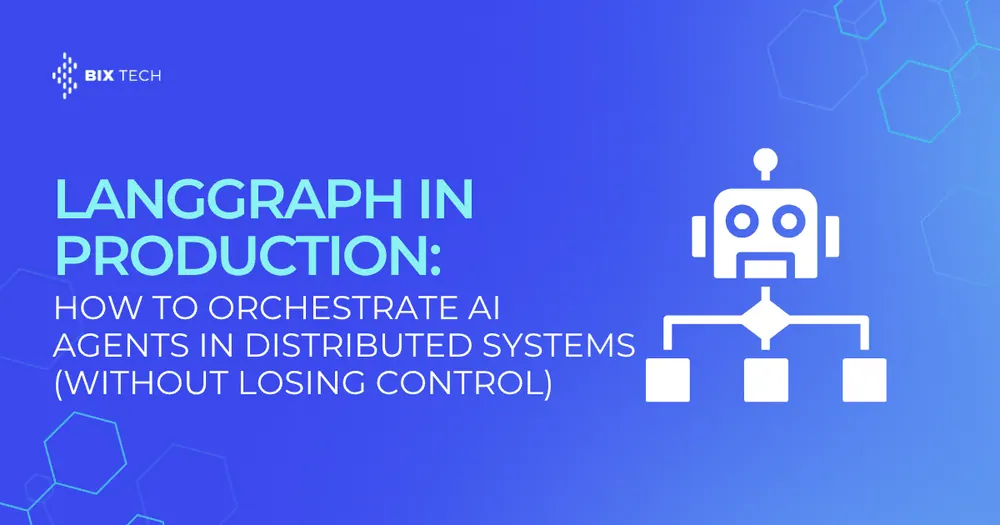
LangGraph is a framework for building stateful, multi-step agent workflows as graphs-where each node represents a callable step (an LLM call, a tool invocation, a database query, a validation step, etc.) and edges define how control flows between steps. In production, that graph-based structure becomes a major advantage: it’s easier to reason about, test, monitor, and operate than a loosely defined chain of prompts and tools.
This article explains how to run LangGraph in production for distributed systems, including practical patterns for orchestration, reliability, scalability, and observability-plus common pitfalls and how to avoid them.
What “LangGraph in Production” Really Means
A production-grade agent orchestration system must handle more than “call the LLM and print the answer.” In practice, you need:
- Deterministic control flow (clear steps and transitions)
- State management across steps (and sometimes across time)
- Tool calling with guardrails (timeouts, retries, safe inputs)
- Failure recovery (resume from where it stopped, not restart blindly)
- Concurrency and scaling (many requests, multiple workers)
- Auditability (why did the agent do what it did?)
- Security (secrets, access control, prompt/tool injection defenses)
- Observability (traces, logs, metrics, cost tracking)
LangGraph’s graph-based approach maps naturally to these requirements because a graph is an explicit representation of orchestration-ideal for distributed execution and operational rigor.
Why Graph Orchestration Beats “One Big Agent Loop”
Many early agent implementations rely on a single loop:
- Ask the model what to do next
- Call a tool
- Feed the result back
- Repeat until done
That approach can work, but it becomes fragile as complexity grows. Production systems need more structure, like:
- Branching logic (different paths for different request types)
- Parallel steps (retrieve context while validating inputs)
- Human-in-the-loop gates (approval for actions like refunds)
- Quality checks before returning outputs
- Retries on specific steps (not the entire run)
A LangGraph workflow makes these behaviors explicit and testable.
Core Concepts: How LangGraph Models Agents
Nodes
A node is a step: “retrieve customer data,” “summarize,” “call billing API,” “validate answer,” etc.
Edges
Edges define transitions: “after retrieval, go to reasoning,” “if validation fails, go to repair,” “if confidence is high, respond.”
State
LangGraph workflows maintain a shared state across nodes (messages, tool outputs, intermediate variables). Production systems often extend state to include:
- request metadata (tenant, user role)
- idempotency keys
- trace IDs
- tool call history and results
- policy decisions and confidence scores
Conditional routing
You can route execution based on logic: content classification, model confidence, validation results, tool availability, SLA tier, and more.
A Production Architecture for LangGraph in Distributed Systems
A practical architecture typically looks like this:
1) API layer (gateway)
Receives requests and performs:
- authentication/authorization
- rate limiting
- input validation
- request normalization
- idempotency key enforcement
2) Orchestration service (LangGraph runtime)
Runs the graph:
- selects tools
- routes between nodes
- writes state checkpoints
- handles retries and timeouts
3) Tooling layer (external actions)
Tools often include:
- vector search / RAG retrieval
- SQL queries / analytics
- ticketing systems (Jira, Zendesk)
- CRMs (Salesforce)
- payments / billing APIs
- internal microservices
4) State & persistence
Production agents must persist state for:
- long-running workflows
- crash recovery
- audit and replay
- async/queued execution
This often means storing state snapshots/checkpoints in a database or object store, and storing large artifacts (documents) separately.
5) Observability stack
To operate safely at scale:
- distributed tracing (end-to-end spans)
- structured logs per node/tool
- metrics (latency, error rates, token spend, tool usage)
- alerting for timeouts, retry storms, cost spikes
The Most Important Production Pattern: Checkpointing and Resume
In distributed systems, failures are normal:
- a tool API times out
- a worker crashes mid-run
- a dependency returns a 500
- a deployment restarts pods
A production LangGraph implementation should support checkpointing so workflows can resume from the last safe point rather than restarting from scratch.
What to checkpoint
- current node and next node candidates
- conversation/messages
- tool inputs/outputs (or references to stored artifacts)
- validation results
- version info (graph version, prompt version, tool version)
Why it matters
Checkpointing is how you avoid:
- duplicated external actions (double charging a card)
- inconsistent states (half-created ticket + missing confirmation)
- runaway costs (repeating expensive model calls)
Scaling LangGraph Workloads: Concurrency, Queues, and Workers
When synchronous execution is enough
If your typical workflow runs in 1–5 seconds and doesn’t call many external tools, synchronous API execution can be fine-especially for internal apps.
When to go async
You should consider asynchronous orchestration when you have:
- long tool calls (ETL jobs, batch queries)
- multi-step workflows with approvals
- high traffic with spiky load
- strict API latency budgets
A common pattern is:
- API receives request → returns
202 Accepted+ job ID - job is queued
- workers run the LangGraph workflow
- client polls or receives webhook/callback with results
Horizontal scaling tips
- Keep orchestration workers stateless; persist graph state externally.
- Use work queues for backpressure.
- Partition by tenant or workload type if needed.
- Cap concurrency on expensive tools (vector DB, LLM provider) to prevent cascading failures.
Reliability Engineering for AI Agent Orchestration
1) Timeouts everywhere
Every node/tool call should have a timeout. Without it, a single stuck dependency can pin worker capacity indefinitely.
2) Retries (but only where safe)
Retries are useful for transient failures, but dangerous for side-effecting tools.
Rule of thumb:
- Safe to retry: retrieval, read-only queries, classification
- Use caution: “create ticket,” “send email,” “charge card”
3) Idempotency keys for side effects
For any write action, require an idempotency key so that retries don’t create duplicates.
4) Circuit breakers
If an upstream tool is failing consistently, stop calling it for a cooling period and route to:
- a fallback tool
- a degraded experience (read-only)
- a human escalation
5) Graceful degradation
When dependencies fail, don’t collapse the entire workflow. Return something useful:
- partial answer + transparency
- alternative actions (e.g., “I can’t update billing right now, but here’s what I found…”)
- route to support queue
Guardrails: Keeping Agents Safe in the Real World
Production agents operate in adversarial environments: prompt injections, malicious inputs, and tool misuse are not hypothetical.
Essential guardrails
- Tool allowlists: explicitly define which tools are permitted per workflow and per role.
- Schema validation: validate tool inputs/outputs (types, ranges, required fields).
- Content policies: prevent unsafe data exfiltration and policy violations.
- Least privilege: tool credentials should have minimal scope (read-only where possible).
- Secrets hygiene: never pass secrets through the model context.
Prompt injection defenses in RAG
If your agent uses retrieval (documents, wikis), treat retrieved text as untrusted:
- separate “system instructions” from retrieved content
- add a sanitization/validation node
- avoid letting retrieved text directly alter tool calls
Observability: How to Debug and Improve LangGraph Agents
Production success depends on being able to answer:
- Where did time go?
- Which node failed most?
- Which tool causes retries?
- What’s the token cost per request?
- Why did the agent choose that path?
Best practices
- Trace each node with start/end timestamps and result status.
- Log tool calls with sanitized inputs/outputs (no secrets/PII).
- Capture routing decisions (what condition triggered the branch?).
- Track quality signals:
- validation pass/fail rates
- user feedback scores
- escalation rates to humans
Golden datasets + replay
Store a set of representative requests and replay them against new versions of:
- prompts
- tools
- graph logic
- models
This is how teams safely evolve systems without breaking behavior.
Production Workflow Examples (That Actually Map to Distributed Systems)
Example 1: Customer Support Agent with Escalation
Graph structure
- Classify request type (billing/technical/account)
- Retrieve account context
- Draft response
- Validate for policy + tone + completeness
- If low confidence → open ticket + send summary to human
- Else → respond
Production add-ons
- checkpointing after retrieval and after drafting
- idempotency key for ticket creation
- tracing per tool call (CRM, ticketing, KB search)
Example 2: Internal Ops Agent that Updates Records
Graph structure
- Parse intent (“update shipment address”)
- Verify permissions (role-based access)
- Fetch current record
- Propose change + request confirmation
- Apply update (side effect)
- Verify and log audit trail
Production add-ons
- “confirmation gate” node (human-in-the-loop)
- strict tool schema validation
- audit log persistence for compliance
Example 3: Data Analyst Agent for BI Queries
Graph structure
- Clarify question (if needed)
- Generate SQL
- Run SQL (read-only)
- Summarize results
- Sanity-check numbers (validation node)
- Produce final narrative + chart spec
Production add-ons
- query cost guards (row limits, execution time caps)
- caching for repeated queries
- fallback to pre-aggregated tables
SEO-Friendly FAQ: LangGraph in Production
What is LangGraph used for?
LangGraph is used to build stateful, multi-step AI agent workflows where each step is modeled as a node in a graph and execution flows along edges based on logic and outcomes. It’s especially useful for tool-using agents, retrieval-augmented generation (RAG), and complex orchestration patterns.
How do you run AI agents reliably in distributed systems?
Reliable AI agent execution in distributed systems typically requires:
- persistent state and checkpointing
- timeouts and safe retries
- idempotency for side-effecting actions
- queues and worker pools for asynchronous execution
- monitoring, tracing, and alerting
Why use graph-based orchestration for AI agents?
Graph orchestration makes complex agent behavior explicit: branching paths, parallel steps, validation checkpoints, and escalation flows are easier to manage, test, and operate compared to a single “agent loop.”
What are common production pitfalls for AI agents?
Common pitfalls include:
- no checkpointing (restarts repeat expensive calls or duplicate side effects)
- unbounded retries (retry storms and cost spikes)
- lack of tool guardrails (unsafe actions)
- poor observability (hard to debug and improve)
- mixing secrets/PII into model context
Final Thoughts: Production-Grade Agent Orchestration Is an Engineering Discipline
LangGraph provides a strong foundation for orchestrating AI agents as structured, stateful graphs, which is exactly what production environments demand. The real unlock comes when you pair that structure with distributed systems fundamentals: persistence, idempotency, backpressure, and deep observability.
The result is an agent system that doesn’t just sound smart-it behaves reliably under load, fails safely, and improves over time.
Running agents in production raises the same reliability questions as running pipelines: retries, backfills and observability. We cover how they are handled in workflow orchestration with Apache Airflow.
The coordination layer this assumes is covered in: a practical guide to agent orchestration with LangGraph and the A2A protocol for multi-agent networks.
For the framework decision that comes before deployment, see how to choose an AI agent framework, and for validated outputs inside each node, reliable agent systems with LangGraph and PydanticAI.
If your team is running agent orchestration across distributed systems, our specialists can work through the implementation with the team that will maintain it. Talk to our team.