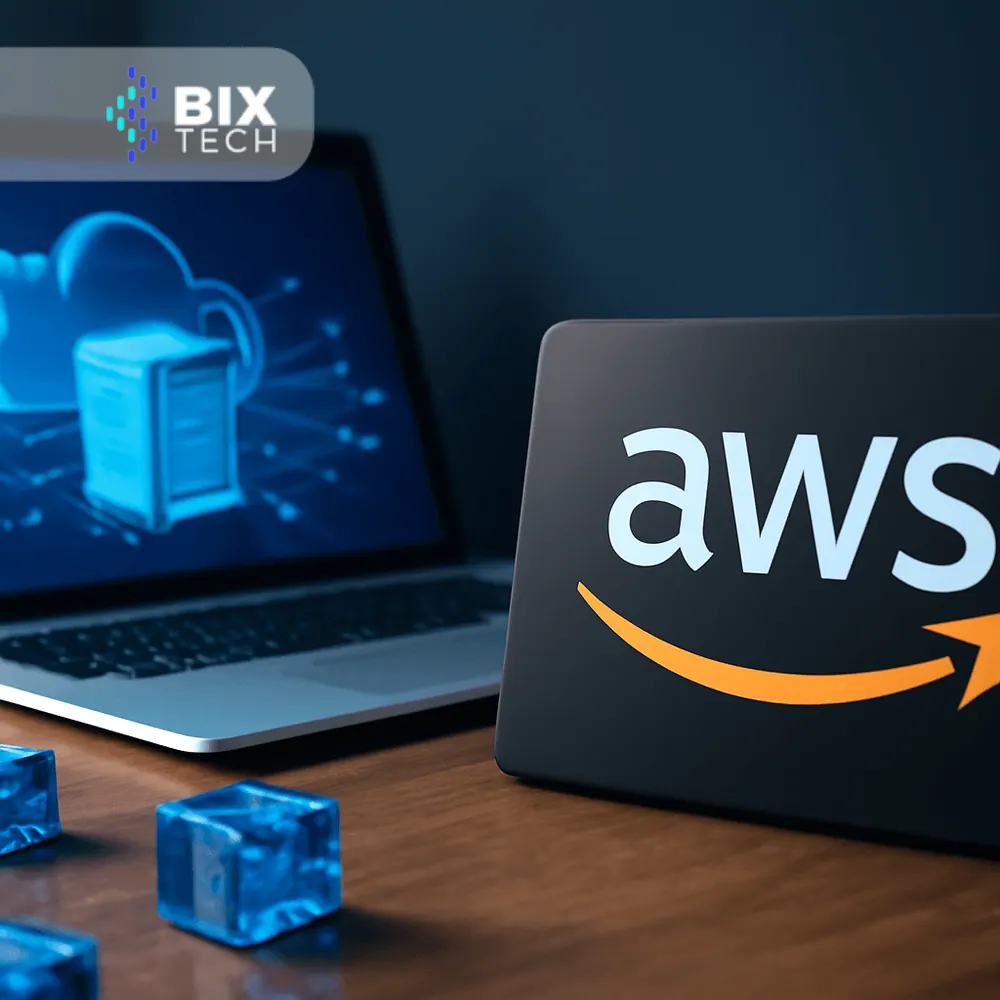
If you’ve ever wondered “What is AWS and why does every tech conversation mention it?” you’re in the right place. Amazon Web Services (AWS) is the world’s most widely adopted cloud platform, offering hundreds of on-demand services that let organizations build, run, and scale applications without buying or maintaining physical infrastructure.

This guide breaks down AWS in plain English—what it is, the core service categories, common architectures, real-world use cases, cost and security best practices, and a practical path to get started.
For an additional overview, you can also check this complementary resource: What AWS is and what you need to know about it.
What Is AWS?
AWS is a cloud computing platform that provides pay-as-you-go access to computing power, storage, databases, networking, analytics, AI/ML, and more—delivered over the internet. Instead of purchasing servers or data centers, you “rent” exactly what you need and scale up or down in seconds.
Core principles:
- Global infrastructure: Regions and Availability Zones (AZs) deliver low latency and high availability.
- Elasticity: Scale automatically based on demand.
- Pay-per-use: Only pay for the resources you consume.
- Shared responsibility: AWS secures the cloud; you secure what you put in it.
Why Businesses Choose AWS
- Speed to market: Launch in hours, not months.
- Scalability and resilience: Auto Scaling, multi-AZ deployments, and global distribution.
- Cost efficiency: Pay-as-you-go, discounts via Savings Plans, Spot Instances, and storage tiers.
- Security and compliance: Broad certifications and controls, plus encryption at rest and in transit.
- Ecosystem and maturity: A vast marketplace, rich documentation, and battle-tested services.
The AWS Service Landscape (A Practical Map)
Think of AWS as building blocks you can mix and match. Here are the categories most teams use first:
Compute
- EC2: Virtual servers you can resize and manage.
- Lambda: Serverless functions—run code without managing servers.
- ECS/Fargate and EKS: Container orchestration (Docker/Kubernetes) with or without server management.
Storage
- S3: Durable, scalable object storage for data lakes, backups, and static sites.
- EBS: Block storage for EC2 volumes.
- EFS: Managed file storage (NFS).
- Glacier: Low-cost archival storage.
Databases
- RDS/Aurora: Managed relational databases (MySQL, PostgreSQL, etc.).
- DynamoDB: Serverless NoSQL database with millisecond latency at scale.
- Redshift: Cloud data warehouse for analytics.
Networking and Delivery
- VPC: Your private network in AWS.
- Route 53: DNS and domain management.
- CloudFront: Global CDN for faster content delivery.
- ELB/ALB/NLB: Load balancers for application or network traffic.
Data, Analytics, and Integration
- Glue: ETL and data catalog for data lakes.
- Athena: SQL queries on S3 data.
- Kinesis/MSK: Real-time streaming.
- Step Functions, SQS, SNS, EventBridge: Orchestration and messaging for distributed systems.
AI/ML
- SageMaker: Build, train, and deploy ML models at scale.
- Bedrock: Access foundation models for generative AI (text, image).
- Rekognition, Comprehend, Transcribe, Translate: Pre-built AI services.
Security and Governance
- IAM: Identity and access management with fine-grained permissions.
- KMS: Key management and encryption.
- Secrets Manager/Parameter Store: Secure secrets at scale.
- Organizations/Control Tower: Multi-account governance and guardrails.
DevOps and Observability
- CodePipeline, CodeBuild, CodeDeploy: CI/CD automation.
- CloudWatch, X-Ray, CloudTrail, Config: Monitoring, tracing, auditing, and compliance.
How AWS Works: The Essentials
- Shared Responsibility Model: AWS secures the cloud (data centers, hardware). You secure your configurations, data, and access.
- Multi-Account Strategy: Isolate prod, staging, and dev for better security and cost tracking.
- Regions & AZs: Choose regions close to your users and design across multiple AZs for high availability.
- Cost Model: Mix on-demand, Savings Plans/Reserved Instances, and Spot to match workload patterns.
Common AWS Architectures (With Real Examples)
1) Three-Tier Web App
- Ingress: CloudFront + ALB
- Compute: ECS on Fargate or EKS (or EC2)
- Data: RDS/Aurora + ElastiCache (Redis)
- Network/Security: VPC, subnets (public/private), Security Groups, WAF
- Observability: CloudWatch, X-Ray
Great for SaaS, ecommerce, and portals needing consistent performance.
2) Serverless Microservices
- API Gateway → Lambda → DynamoDB
- Event-driven patterns using EventBridge, SQS, SNS
- Authentication with Cognito
- IaC with AWS SAM or CDK
Perfect for variable workloads and rapid iteration with minimal ops overhead.
3) Data Lake and Analytics
- Raw data in S3 (with Lake Formation for governance)
- Glue for ETL and metadata catalog
- Athena/Redshift for queries and BI
- Kinesis/MSK for streaming ingestion
Ideal for analytics platforms, customer 360, and ML pipelines. For a deeper dive into migration planning, see Navigating cloud migration in 2025.
4) Edge and Media
- CloudFront for CDN + S3 static hosting
- MediaConvert, MediaLive for streaming workflows
Great for content-heavy apps, OTT, and global experiences.
5) Hybrid and Edge
- Site-to-Site VPN or Direct Connect for secure on-prem connectivity
- Outposts for on-prem AWS services
Useful when you need low latency to factory floors or regulatory locality.
Real-World Use Cases
- Ecommerce scaling for peak traffic (Black Friday) with autoscaling web tiers and Aurora Serverless.
- SaaS applications with multi-tenant architectures using EKS and RDS or DynamoDB.
- Manufacturing analytics with IoT ingestion (AWS IoT Core), S3 data lake, and predictive models in SageMaker. Explore how cloud unlocks industrial improvements in unleashing manufacturing potential with cloud solutions.
- Media streaming at global scale with CloudFront and Media Services.
- AI/ML-driven personalization using Bedrock or SageMaker for recommendations and chat experiences.
- Real-time analytics and monitoring using Kinesis/MSK, Lambda, and Redshift.
Cost Optimization: Practical FinOps on AWS
Cloud costs can spiral without discipline. Adopt a FinOps mindset:
- Right-size continuously: Use AWS Compute Optimizer and CloudWatch metrics.
- Leverage discounts: Commit with Savings Plans/Reserved Instances for steady workloads.
- Use Spot Instances: Great for fault-tolerant, stateless compute and batch jobs.
- Choose storage tiers wisely: S3 Intelligent-Tiering, lifecycle policies, and Glacier for archives.
- Control data transfer: Cache with CloudFront, use VPC endpoints, minimize cross-AZ traffic.
- Automate off-hours: Shut down non-prod nightly/weekends.
- Budget and alerts: AWS Budgets and Cost Anomaly Detection.
For a structured approach, see FinOps and cloud: how to maximize your efficiency.
Security and Governance Best Practices
- Least privilege IAM: Start with deny-all, then add only required permissions.
- Enforce MFA and SSO: Reduce credential sprawl and strengthen access control.
- Encrypt everything: KMS keys for S3, EBS, RDS; TLS in transit.
- Centralized logging: CloudTrail to S3, CloudWatch metrics/alarms, Config rules.
- Network segmentation: Private subnets, security groups, NACLs, and WAF for public endpoints.
- Secrets management: Use Secrets Manager or Parameter Store—never store secrets in code.
- Multi-account governance: Organizations, AWS Control Tower, and Service Control Policies (SCPs).
Getting Started With AWS: A Practical Path
1) Create your AWS account and enable MFA.
2) Set up IAM Identity Center (SSO) for federated access.
3) Establish AWS Organizations and accounts per environment (prod/stage/dev/sandboxes).
4) Choose your Region based on latency, compliance, and available services.
5) Create a secure VPC baseline (public/private subnets, NAT, VPC endpoints).
6) Centralize logging and monitoring (CloudTrail, CloudWatch, AWS Config).
7) Implement tagging standards and budgets from day one.
8) Start small:
- Static site on S3 + CloudFront
- Serverless API (API Gateway + Lambda + DynamoDB)
- Or a containerized app (ECS Fargate + RDS)
9) Capture everything as code (CDK, Terraform, or CloudFormation).
10) Run a Well-Architected Review before scaling.
When to Use Which Service? Quick Decision Hints
- Compute:
- Lambda: Spiky, event-driven, small workloads, or rapid POC.
- ECS Fargate: Containers without managing servers.
- EKS: Kubernetes when you need portability and ecosystem tools.
- EC2: Full control, specialized workloads, or legacy lift-and-shift.
- Databases:
- Aurora/RDS: Transactional and relational needs (OLTP).
- DynamoDB: Massive scale, low latency, flexible schema.
- Redshift: Analytics and BI on large datasets (OLAP).
- Storage:
- S3: Data lake, backups, and static web hosting.
- EFS: Shared file system for apps.
- EBS: High-performance volumes attached to EC2.
Common Pitfalls to Avoid
- Single-account everything: Hard to govern or separate costs and blast radius.
- No tagging: Makes cost allocation, automation, and governance painful.
- Ignoring data transfer: Cross-AZ, cross-region, and NAT Gateway charges can surprise you.
- Overprovisioning: Start small and scale. Use autoscaling and serverless where possible.
- Skipping logs and backups: Enable CloudTrail, set retention policies, and test restores.
AWS vs. Other Clouds (At a Glance)
- AWS: Broadest service catalog, deep maturity, massive ecosystem.
- Azure: Strong Microsoft integration (AD/Office/Windows).
- Google Cloud: Data/ML strengths and developer-friendly tooling.
Many organizations choose a primary cloud (often AWS) and use others selectively for unique strengths or specific partnerships.
Final Thoughts
AWS is a powerful, flexible platform that can support virtually any workload—startups moving fast, enterprises modernizing, or teams unlocking data and AI. The key is to adopt strong foundations (governance, security, cost controls) and choose services that match your workload patterns.
If you’re planning a migration or modernization, this guide pairs well with deeper plays like Navigating cloud migration in 2025 and cost practices in FinOps and cloud: how to maximize your efficiency.
FAQs: AWS, Answered
1) What exactly is AWS?
AWS (Amazon Web Services) is a cloud platform offering on-demand IT resources—compute, storage, databases, networking, analytics, AI/ML, and more—so you can build and scale applications without owning physical servers.
2) How is AWS priced?
Most services are pay-as-you-go, with options for discounts:
- On-demand for flexibility
- Savings Plans/Reserved Instances for steady workloads
- Spot Instances for interruptible workloads
- Storage tiers and lifecycle policies for cost control
Use AWS Budgets, Cost Explorer, and Cost Anomaly Detection to stay on track.
3) Which AWS Region should I choose?
Pick the region closest to your customers for low latency, then consider:
- Data residency and compliance requirements
- Available services
- Cost differences
For high availability, deploy across multiple Availability Zones.
4) Is AWS secure enough for regulated industries?
Yes—AWS offers robust security controls and many compliance certifications (ISO, SOC, PCI, HIPAA). You’re responsible for secure configuration (IAM, encryption, network controls) following the shared responsibility model.
5) What’s the difference between EC2, Fargate, and Lambda?
- EC2: Full server control and flexibility.
- Fargate: Run containers without managing servers.
- Lambda: Serverless functions for event-driven workloads with minimal ops.
6) When should I use DynamoDB vs. RDS vs. Redshift?
- DynamoDB: High-scale, low-latency key-value workloads and flexible schemas.
- RDS/Aurora: Transactional relational apps requiring SQL.
- Redshift: Analytical/BI workloads over large datasets.
7) How do I avoid surprise data transfer costs?
- Use CloudFront for caching.
- Keep traffic within the same AZ or region.
- Use VPC endpoints.
- Minimize NAT Gateway egress.
- Monitor with Cost Explorer and set alerts.
8) What does “serverless” mean in AWS?
Serverless means you don’t manage servers or scaling. Common building blocks: Lambda, API Gateway, DynamoDB, EventBridge, SQS, and Step Functions. You pay only for usage and get built-in scaling.
9) How do I get started safely?
- Create multi-account setup (prod/stage/dev)
- Enforce MFA and least-privilege IAM
- Set budgets/alerts and tagging
- Centralize logs (CloudTrail to S3)
- Start with a small workload and adopt IaC (CDK/Terraform)
10) What are the best tools for observability on AWS?
- CloudWatch for metrics and logs
- X-Ray for distributed tracing
- CloudTrail for auditing
- AWS Config for compliance and drift detection
If you’re preparing for a move or optimization, pair this guide with an AWS Well-Architected Review and a clear migration plan—ideally staged by workload criticality and business value.