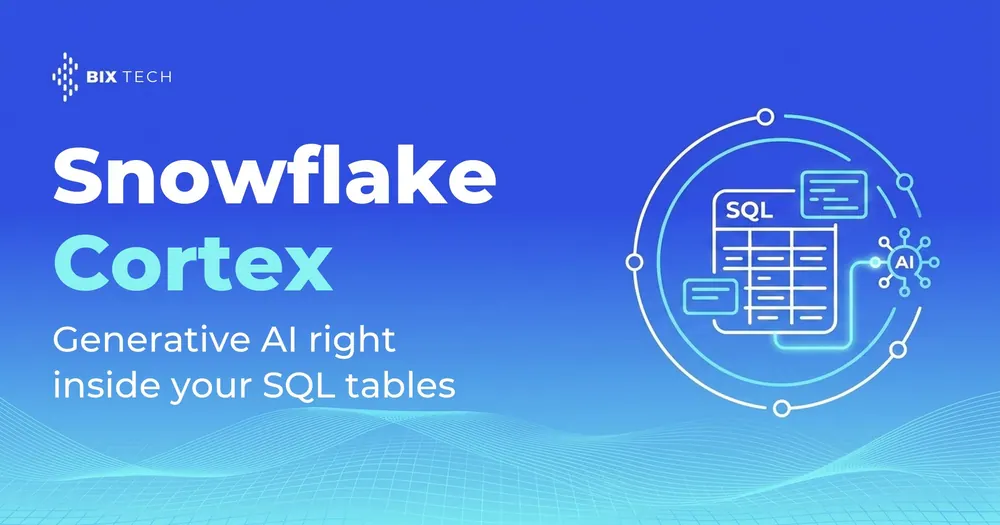
Snowflake Cortex lets you call generative AI models with a SQL function, without moving data out of the platform. In practice, the team writes a SELECT and gets back a summary, a translation, a sentiment score, or an answer generated by a large language model. The data never leaves Snowflake's governed perimeter, and there is no external endpoint to manage.
That changes the daily routine of data teams. Applying generative AI to a table used to mean exporting rows, calling an LLM API on the side, parsing the response, and loading everything back, a process full of glue code and failure points. With Cortex, the AI layer lives next to storage and compute, the same principle of bringing computation close to the data that shapes any modern analytics and AI platform.
This practical guide walks through what Snowflake Cortex is, which functions it offers, how to write your first generative AI queries, and what to weigh before taking it to production. The goal is to help data teams decide where this approach fits inside a mature data and AI strategy.
What is Snowflake Cortex?
Snowflake Cortex is the set of managed AI features inside Snowflake. It exposes large language models (LLMs) and machine learning models as native SQL and Python functions that run on the platform's own infrastructure. There is no GPU to provision, no third-party API key to manage, and no separate pipeline to build, which keeps the whole flow inside the unified platform idea behind a lakehouse data architecture.
Cortex is organized in a few areas. LLM functions cover text tasks such as summarization, translation, classification, and free-form generation. Cortex Search delivers semantic search and retrieval of relevant passages, the foundation for RAG applications. Cortex Analyst answers natural-language questions over structured data, a topic we go deeper into in the Snowflake Cortex versus Databricks Genie comparison.
Because it runs where the data already lives, Cortex inherits Snowflake's governance. Roles, access policies, and masking still apply, which shrinks the risk surface of sending sensitive data outside, a concern that also drives responsible data privacy in the age of AI. According to Snowflake's documentation, Cortex functions are available in specific regions, so checking regional availability is the first step before any implementation.
How to implement generative AI directly in SQL
Implementing generative AI with Snowflake Cortex starts with permission. Access to the functions is controlled by the SNOWFLAKE.CORTEX_USER role, which must be granted to the user or application role. After that, each AI function becomes an ordinary SQL call, woven into the queries the team already runs, something that reshapes how people handle data engineering pipelines.
The core function is COMPLETE, which sends a prompt to an LLM and returns the response. The usual pattern is to pick a model and pass the text. Here is a minimal example that summarizes customer reviews stored in a table, applying the model row by row:
SELECT
  review_id,
  SNOWFLAKE.CORTEX.COMPLETE(
    'llama3.1-70b',
    'Summarize this review in one sentence: ' || review_text
  ) AS summary
FROM customer_reviews;
Beyond free-form generation, Cortex ships specialized functions that skip manual prompting for common tasks. They return a ready value and are handy for processing whole columns in bulk, the kind of automation that echoes the logic of agentic data engineering. The table below sums up the main LLM functions and when each one fits.
| Function | What it does | Example use |
|---|---|---|
COMPLETE | Generates free text from a prompt and a chosen model | Drafting replies, extracting fields, classifying with a custom instruction |
SUMMARIZE | Condenses a long text into a short version | Shrinking support tickets or transcripts |
TRANSLATE | Translates text between supported languages | Standardizing multilingual reviews into one language |
SENTIMENT | Returns a sentiment score for the text | Measuring satisfaction in comments and open NPS |
EXTRACT_ANSWER | Pulls the answer to a question from a context | Answering questions about a document or text column |
For cases that need company-specific context, the path is to combine Cortex Search with the COMPLETE function, building a RAG (retrieval-augmented generation) flow. Search indexes documents and returns the passages most relevant to the question, and those passages feed the model's prompt. This same retrieve-then-generate pattern is what underpins richer multi-agent systems, when several AI steps must coordinate over the same data.
When to use Snowflake Cortex and what to weigh first
Snowflake Cortex fits well when the data already lives in Snowflake and the team wants to avoid moving it to external platforms. Processing text at scale, enriching tables with automatic classification, and building assistants over internal data are natural scenarios. BIX Tech stays situational here: the ideal platform depends on each operation's architecture, which is why we work with multiple cloud and data solutions, assessing the fit case by case.
Before scaling, three points deserve attention. The first is cost: Cortex functions consume Snowflake credits proportional to the volume of tokens processed, so running an LLM over a table with millions of rows needs an estimate first. The second is model choice, since each option balances quality, latency, and cost differently. The third is regional availability, which decides whether the function runs in your account at all, worth confronting alongside the broader platform architecture decision.
The table below helps map a need to a Cortex feature, a starting point to design the implementation without leaving the SQL layer.
| Need | Cortex feature | Note |
|---|---|---|
| Generate or transform text in bulk | LLM functions (COMPLETE, SUMMARIZE) | Estimate cost by token volume |
| Semantic search over documents | Cortex Search | Foundation for RAG applications |
| Natural-language questions over tables | Cortex Analyst | Requires semantic modeling of the data |
| Sentiment analysis and classification | SENTIMENT, COMPLETE | Good for feedback and open NPS |
Bringing generative AI into SQL cuts friction, but it does not remove the engineering decisions: modeling, cost, and governance still separate an experiment from a production solution. Snowflake Cortex shortens the technical path, and the real payoff shows up when that capability enters a well-designed data architecture. If your company is weighing how to implement generative AI directly in your SQL tables, our specialists can help structure the best architecture for your context. Talk to our team and move your data maturity forward. ⬇️

FAQ: frequently asked questions
What is Snowflake Cortex? Snowflake Cortex is Snowflake's set of managed AI features that expose language and machine learning models as SQL and Python functions. It runs inside the platform itself, with no extra infrastructure, letting you apply generative AI directly on the tables where the data already lives.
How do you use generative AI directly in SQL with Snowflake Cortex?
You need the SNOWFLAKE.CORTEX_USER role and then call a function such as SNOWFLAKE.CORTEX.COMPLETE, passing the model and the prompt inside a SELECT. The function returns the model's response as an ordinary column, so you can summarize, translate, or classify text row by row in the query.
Which AI functions does Snowflake Cortex offer?
Cortex provides LLM functions like COMPLETE, SUMMARIZE, TRANSLATE, SENTIMENT, and EXTRACT_ANSWER, plus Cortex Search for semantic search and Cortex Analyst for natural-language questions over structured data. Each feature covers a type of AI task without requiring external integration code.
How much does Snowflake Cortex cost? Cortex functions consume Snowflake credits proportional to the volume of tokens processed, according to Snowflake's documentation. There is no separate subscription: the spend rolls into account usage. That is why it is worth estimating volume before running a model over very large tables.
Does Snowflake Cortex replace an external LLM API? It depends on the scenario. When the data already lives in Snowflake and the priority is governance and simplicity, Cortex avoids data movement and extra code. In other contexts, an external API or a different platform may fit better. The choice is situational and should weigh cost, available models, and the existing architecture.