
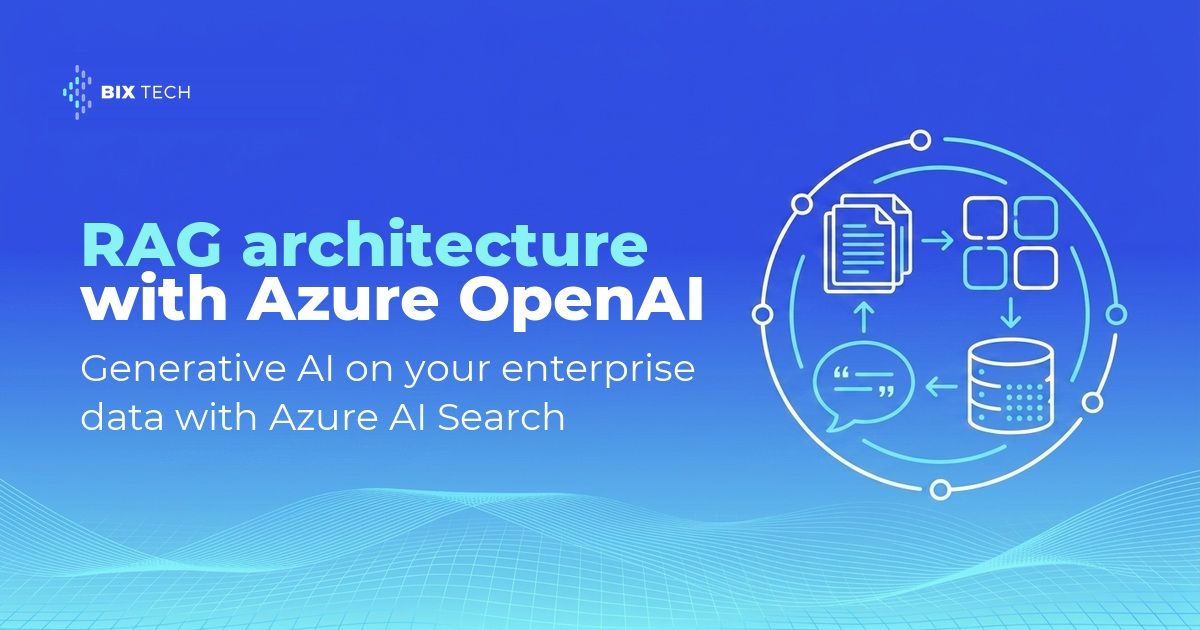
A RAG architecture with Azure OpenAI and Azure AI Search is the most direct way to make a language model answer from your own documents. The RAG pattern, short for retrieval-augmented generation, retrieves the relevant passages from your content and sends them to the model alongside the question. Answers come back grounded in an internal policy, a contract, a technical manual or a knowledge base, with a citation pointing to the source, which is now a baseline requirement for enterprise Azure workloads built on proprietary content.
Adoption numbers explain the urgency. According to Gartner, more than 80% of enterprises will have used generative AI APIs or deployed generative AI-enabled applications by 2026, up from less than 5% in 2023. The same firm estimates that around 30% of generative AI projects get abandoned after the proof of concept, driven by poor data quality, inadequate risk controls, escalating costs or unclear business value. Teams that have already taken agentic AI into production recognize that script.
Provisioning the services takes an afternoon. Keeping answers trustworthy takes an engineering decision at every step: how to split documents, which embedding model to use, how to combine vector search with keyword search, how to stop a user from seeing a document outside their access perimeter, and how to measure whether an answer is grounded in what was retrieved. Those choices separate a demo from a data architecture that survives its second quarter.
What a RAG architecture with Azure OpenAI and Azure AI Search is made of
The design splits into six layers, each with a single responsibility. That separation is what lets you replace one piece without rebuilding the rest, the same principle behind modular data platform architectures: change the embedding model next year and only the skillset and the index get recreated.
| Layer | Azure resource | What it does | The decision that matters |
|---|---|---|---|
| Ingestion | Indexer and data source (Blob Storage, ADLS Gen2, Azure SQL, OneLake, SharePoint) | Pulls raw content and drives the pipeline | Refresh frequency and incremental indexing |
| Preparation | Skillset with Text Split skill, Document Layout or Content Understanding | Extracts text and splits documents into chunks | Chunk size and overlap |
| Vectorization | Azure OpenAI Embedding skill with text-embedding-3-small or 3-large | Generates embeddings for each chunk | Model, dimensions and quantization |
| Retrieval | Azure AI Search with BM25, HNSW and semantic ranker | Selects the passages sent to the model | Hybrid query with RRF and L2 reranking |
| Generation | Azure OpenAI chat models | Writes the answer from the passages and cites the source | Grounding prompt and token budget |
| Governance | Microsoft Entra ID, security filters, private endpoints | Ensures each identity sees only what it should | Inherited ACLs or query-time filters |
Two retrieval paths exist in the service, and the choice shapes much of the code you write. Classic RAG sends a single query to the index while your application orchestrates the model call, which keeps latency low and the component count small. Agentic retrieval uses an LLM to break the question into parallel subqueries and returns a structured response with citations; knowledge bases reached general availability in the 2026-04-01 API, while query planning and answer synthesis remain in preview. For teams already running AI agents connected to external tools, that second path shortens orchestration work considerably.
Implementing the RAG architecture step by step
Step 1: prepare the content before thinking about embeddings
Retrieval quality starts with chunking, the practice of splitting documents into pieces that can be matched independently. An 80-page PDF indexed as one record never produces a precise answer, because the useful passage dissolves into the average vector of the whole document. Microsoft's documentation points to roughly 512 tokens as a reference for token-based chunking, with a small overlap between pieces to preserve continuity, a discipline close to what any well-built transformation pipeline already applies.
Document type changes the strategy. Contracts and manuals with clear structure benefit from layout-aware chunking, which respects sections, headings and tables instead of cutting at a character count. Test two or three configurations against real user questions before settling, the same evidence-driven approach behind a well-governed semantic layer.
Step 2: use integrated vectorization instead of a parallel pipeline
Integrated vectorization moves chunking and embedding generation inside the indexer through a skillset. The gain is operational: when a document changes at the source, the indexer reprocesses that change end to end with no hand-written synchronization code. The Text Split skill carries no additional charge, so spend concentrates in embedding model calls, which helps when budgeting a cloud data platform rather than a prototype.
Two details save rework. The vectorizer configured in the index must point to the same model used during indexing, otherwise queries compare vectors from different embedding spaces and relevance collapses with no visible error. Since Azure OpenAI token-per-minute limits apply per model and per subscription, running the indexer on a short schedule lets the service reprocess whatever got throttled, the same resilience logic applied to containerized workloads in production.
Step 3: query with hybrid search and the semantic ranker
Vector search finds what is conceptually close to the question. Keyword search nails the exact match: product codes, standard numbers, people's names, internal jargon. A hybrid query runs both in parallel and merges them with Reciprocal Rank Fusion, and the official Azure AI Search documentation recommends that combination as the baseline for any RAG implementation, reinforced by the semantic ranker, an L2 reranker that rescores top results with language understanding models.
One configuration detail moves the needle more than it appears to: when using the semantic ranker, set k to 50 in the vector query, because the reranker works over the top 50 results and a low k starves it of candidates. Scoring profiles help promote fresher documents or priority sources, which also matters in BI environments with many competing sources.
Step 4: orchestrate generation in Azure OpenAI
The generation layer receives the question, the conversation history and the retrieved passages, then returns the answer. The system prompt has to be explicit on three points: answer only from the provided passages, cite the identifier of every passage used, and state clearly when the information is not available. Without that instruction the model fills gaps from training knowledge and the output stops being auditable. Returning only the human-readable fields you need, capping how many chunks travel to the model and instrumenting the call with traces and metrics keeps latency and cost in check, in the same spirit as observability for AI agent systems.
Step 5: treat security and evaluation as part of the architecture
Opening internal content to a model creates a new risk surface. Azure AI Search supports document-level access control, with permissions inherited from ADLS Gen2 and SharePoint through capabilities currently in preview, query-time identity filters for other sources, and private endpoints for network isolation, which sits at the center of any LLM governance discussion under audit.
Evaluation closes the implementation. Build a set of 50 to 100 real questions with expected answers and measure two things separately: whether retrieval surfaced the right passage, and whether the generated answer holds up against that passage. Splitting those signals tells you where to invest, since a weak answer over correct retrieval calls for prompt work, while the reverse points to chunking, embedding or query configuration, the same diagnostic loop used in RAG systems already running in production.
Common pitfalls when implementing RAG on Azure
Four failures account for most of the frustration in the first weeks of a RAG project over enterprise data:
- Indexing a whole document as one record. The vector of a long document averages several topics and fails to retrieve the specific paragraph that answers the question. Chunking with overlap solves most cases.
- Relying on vector search alone. Questions containing a code, an acronym, a contract number or a proper name depend on exact matching, which is precisely what BM25 contributes inside a hybrid query.
- Ignoring the recommended
kwith the semantic ranker. A lowklimits what the L2 reranker can evaluate and wastes the feature that most improves result ordering. - Postponing security filters. Modeling permissions after the index is populated normally forces a reindex, with direct impact on timeline and cost.
Cost is the quiet risk. Every vector dimension occupies index space, and a large corpus with 3,072-dimension embeddings grows fast; the service accepts up to 4,096 dimensions per vector field and offers dimension truncation and quantization to cut storage with controlled precision loss. A serverless pricing model, currently in preview, changes the math for intermittent workloads, worth checking before sizing the environment, much like licensing cost analysis on any data platform.
A reliable RAG architecture on Azure comes from small, verifiable decisions: right-sized chunks, embeddings consistent between index and query, hybrid retrieval with reranking, a prompt that demands citations, and permissions applied from the first indexed document. BIX Tech works across multiple data and cloud platforms, and the right design shifts with content volume, regulatory pressure and the maturity of the team that will operate the AI solution day to day.
If your company is putting generative AI on top of enterprise data and needs an architecture that holds in production, our specialists can help you design the right path for your context. Talk to our team and move forward with your data maturity. ⬇️

FAQ: RAG architecture with Azure OpenAI and Azure AI Search
What is a RAG architecture with Azure OpenAI and Azure AI Search? It is the design where Azure AI Search indexes and retrieves the relevant passages from company content, and Azure OpenAI writes the answer based on those passages. The model responds grounded in internal documents, with citations to the source, instead of relying only on what it learned during training.
What is the difference between vector search and hybrid search in Azure AI Search? Vector search finds content conceptually close to the question even with no shared words. Hybrid search runs vector and keyword queries in parallel and merges them with Reciprocal Rank Fusion, which improves recall for questions containing codes, acronyms or proper names. Microsoft's documentation recommends hybrid search with the semantic ranker for RAG.
What is the ideal chunk size for RAG on Azure? Microsoft's documentation points to roughly 512 tokens as a reference for token-based chunking, with a small overlap between pieces to preserve context. The best value depends on document type and on the models involved, so test two or three configurations against real questions before fixing the parameter.
How do you make sure each user only sees authorized documents? Azure AI Search offers document-level access control, with permissions inherited from ADLS Gen2 and SharePoint through capabilities still in preview, query-time identity filters for other sources, and private endpoints for network isolation. Model permissions before populating the index, because adding them later usually requires a reindex.
When should you use agentic retrieval instead of classic RAG? Agentic retrieval fits when the client is an agent or chatbot, questions are conversational, and you want structured responses with citations. Classic RAG fits when the requirement is generally available features only, with minimal latency and fine-grained control over each stage of the query pipeline.